Getting Started
Getting Started
How to Begin / Opening the Menu

- As soon as you click on the traffic light icon in the upper left corner of the game in your toolbar, the main menu of TTE opens. It looks like this.
- To now configure intersections, click on the corresponding button.
- Don't be confused about "Mobility Hub", you won't find this feature in your mod version yet - it is in the early development phase.
Selecting an Intersection

- Select "Edit intersection phases" in the open TTE menu.
- The selection tool is now activated and you can only click on intersections.
- ESC to exit the selection tool.
**Selection Tool**
Hover with the selection tool over the desired intersection and click with the left mouse button. This takes you to the editor of the respective intersection.
Editing an Intersection
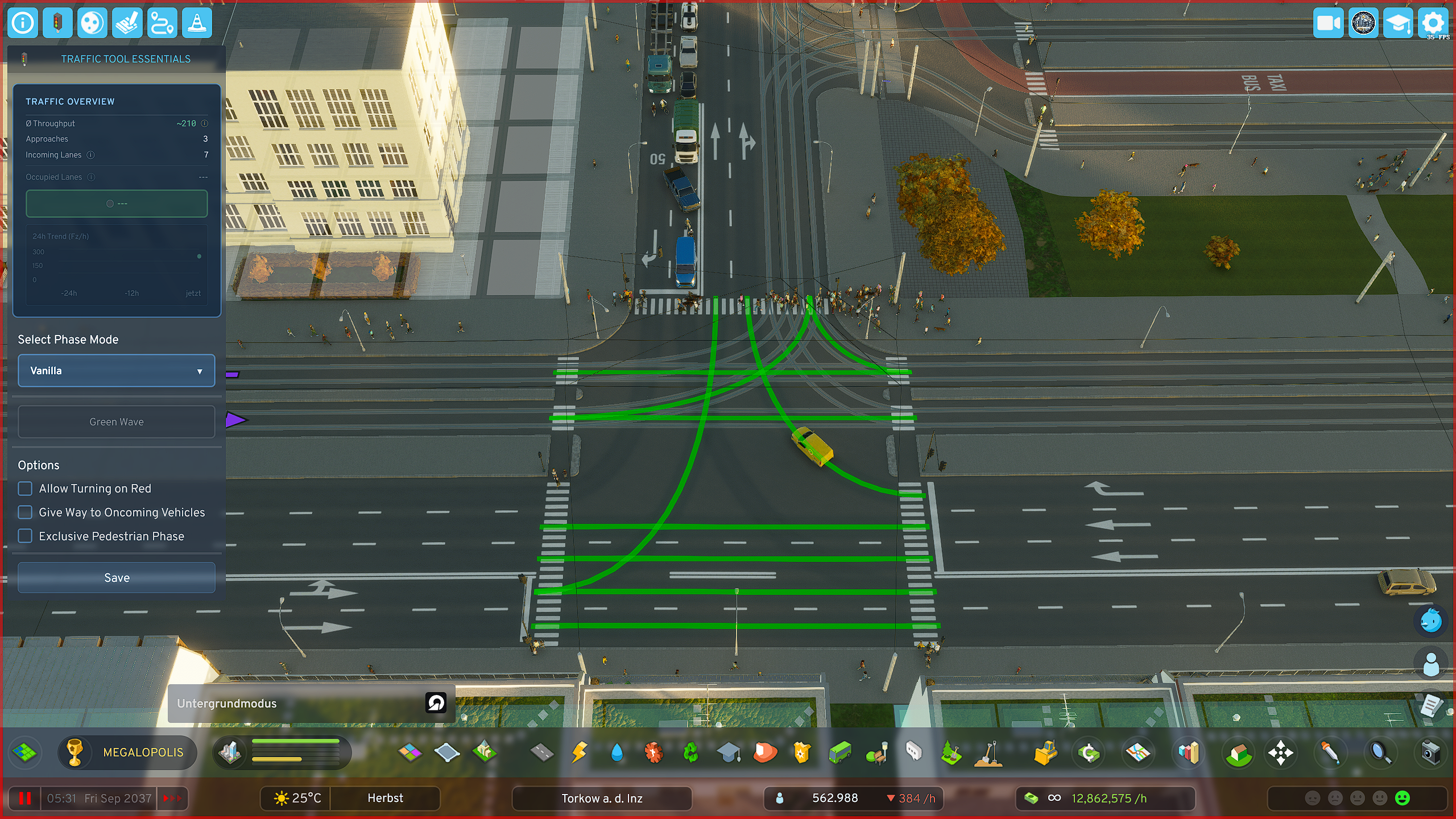
Once you have clicked on an intersection, you go directly to the editor of the respective intersection.
There are predefined quick-select phase templates, such as "Split Phase", or "Extended Split Phase".
**Intersection Editor** - In the editor you have an immediate rough overview of your selected intersection's data - You have **additional options**, e.g. **"Turn on red"** or "**Exclusive pedestrian phase**", to better adapt your intersection to local conditions