**Phase Editor (Base Menu)** Here you can manage your phases: **Create** phases, **move** phases, **edit** phases, **delete** phases, **copy** phases and **paste** phases
--- ### Adding a Phase 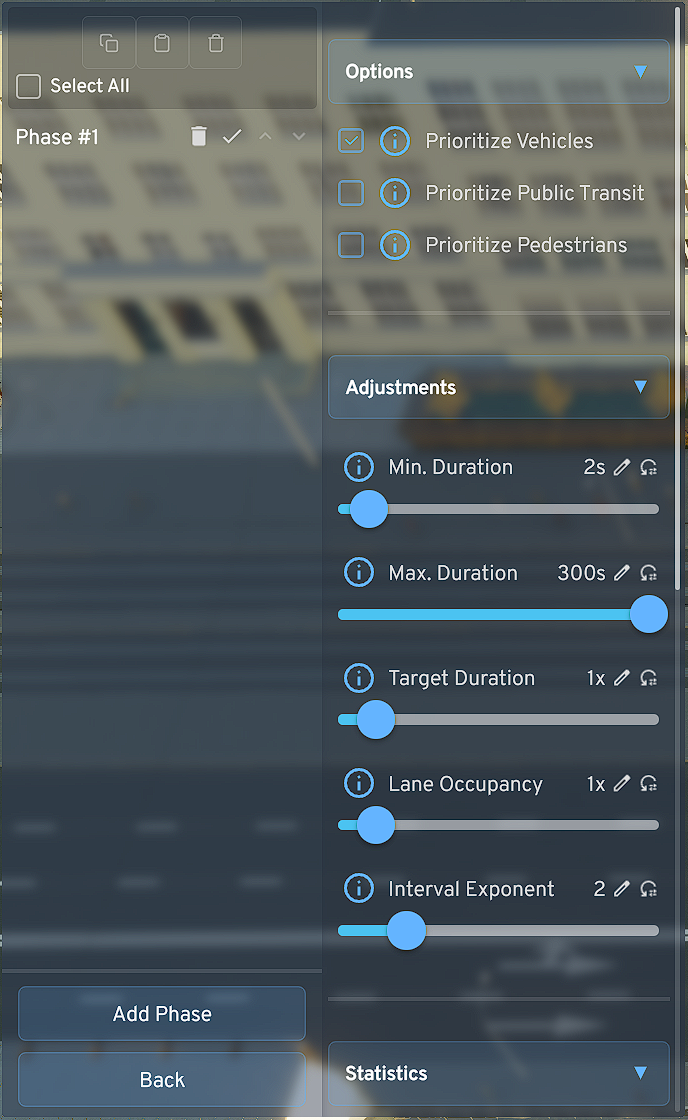 - Click on "**Add Phase**", the phase menu opens immediately - Set the **parameters of the respective phase** according to your preferences and local requirements - Also set here **which road users** should be **prioritized** in a phase. For example, if a tram and individual traffic lane cross in a phase and you have set to prioritize public transit, traffic waits until the tram has passed the intersection [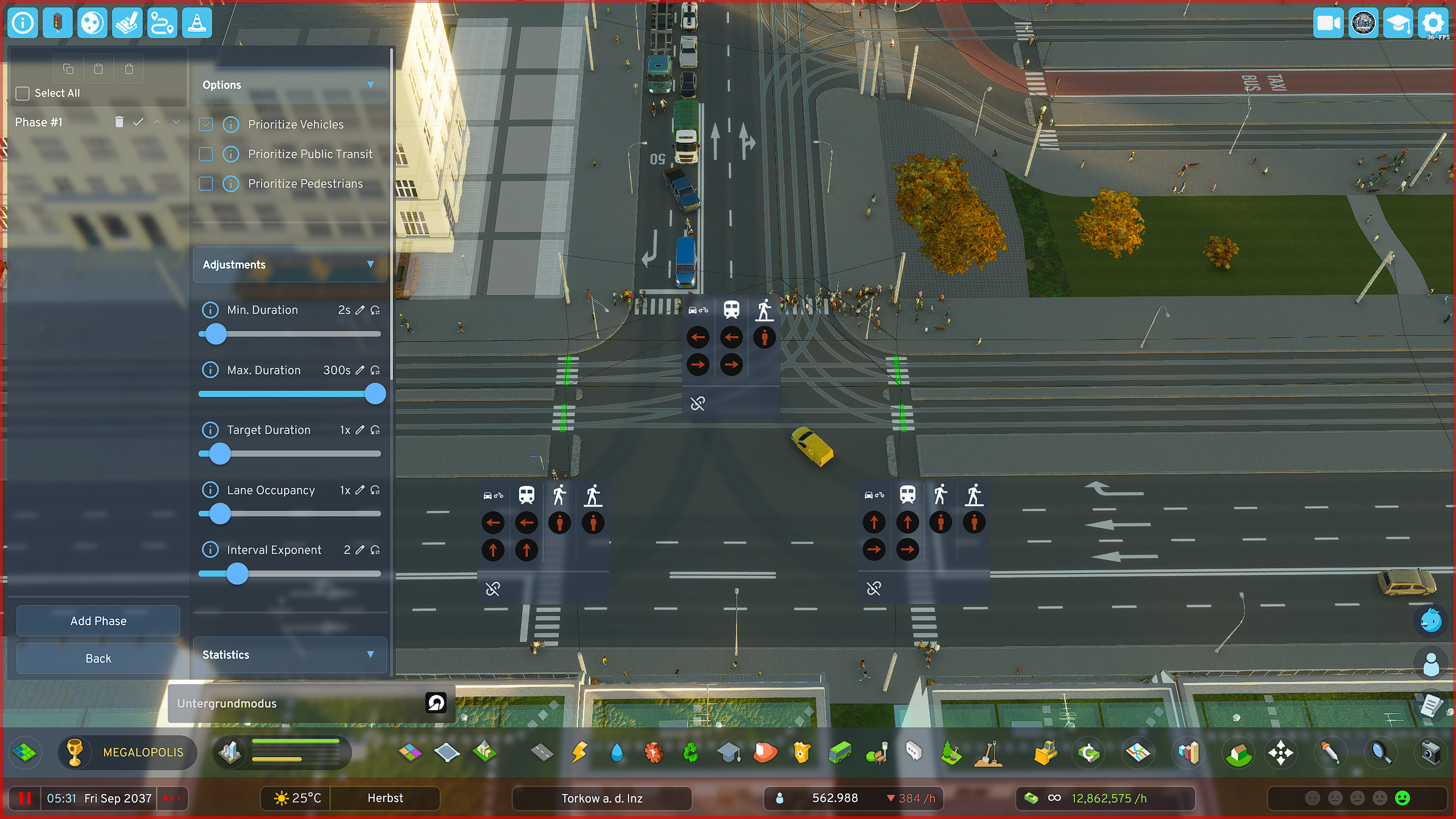](https://shelf.zessons.de/uploads/images/gallery/2025-12/Yl2pjNWrdylUAIil-ox6ivitf5aiusoii-phaseeditor-phaseedit-phase1.png)**Parameter Description** **- Minimum Duration:** The phase must run at least this long, completely independent of whether there is high or low traffic on it **- Maximum Duration:** The phase may be active for at most this long (e.g., to actively reduce phase duration on lower-traffic arms to favor main traffic directions) **- Target Duration:** Influences (as one of two factors) the duration of the green phase. 2x = twice as long, etc. **- Lane Occupancy:** Influences (as the second of two factors) the duration of the green phase, but target-controlled, not in principle like target duration, but ONLY when the lane is actually occupied by vehicles **- Interval Exponent:** Vehicles and phases that would have to wait a long time are favored in Priority Mode to prevent them from "starving". However, this can be handled more elegantly with the more modern variant (Sequential Mode)
--- ### Setting Phase Lane Release **Create multiple phases this way and essentially create an individual heartbeat for each of your important intersections.** - **Create** as **many phases as you need** to **cover all intersection arms and turning lanes** at your respective intersection - Click on the **red icon** of the desired **road user** (cars/bicycles, public transit, pedestrians) to switch the corresponding traffic light from **red to green** - **Click again** on the same symbol and the color **changes to blue**, which means that - **Click** a **third time** to return the symbol to its **default state (RED)** [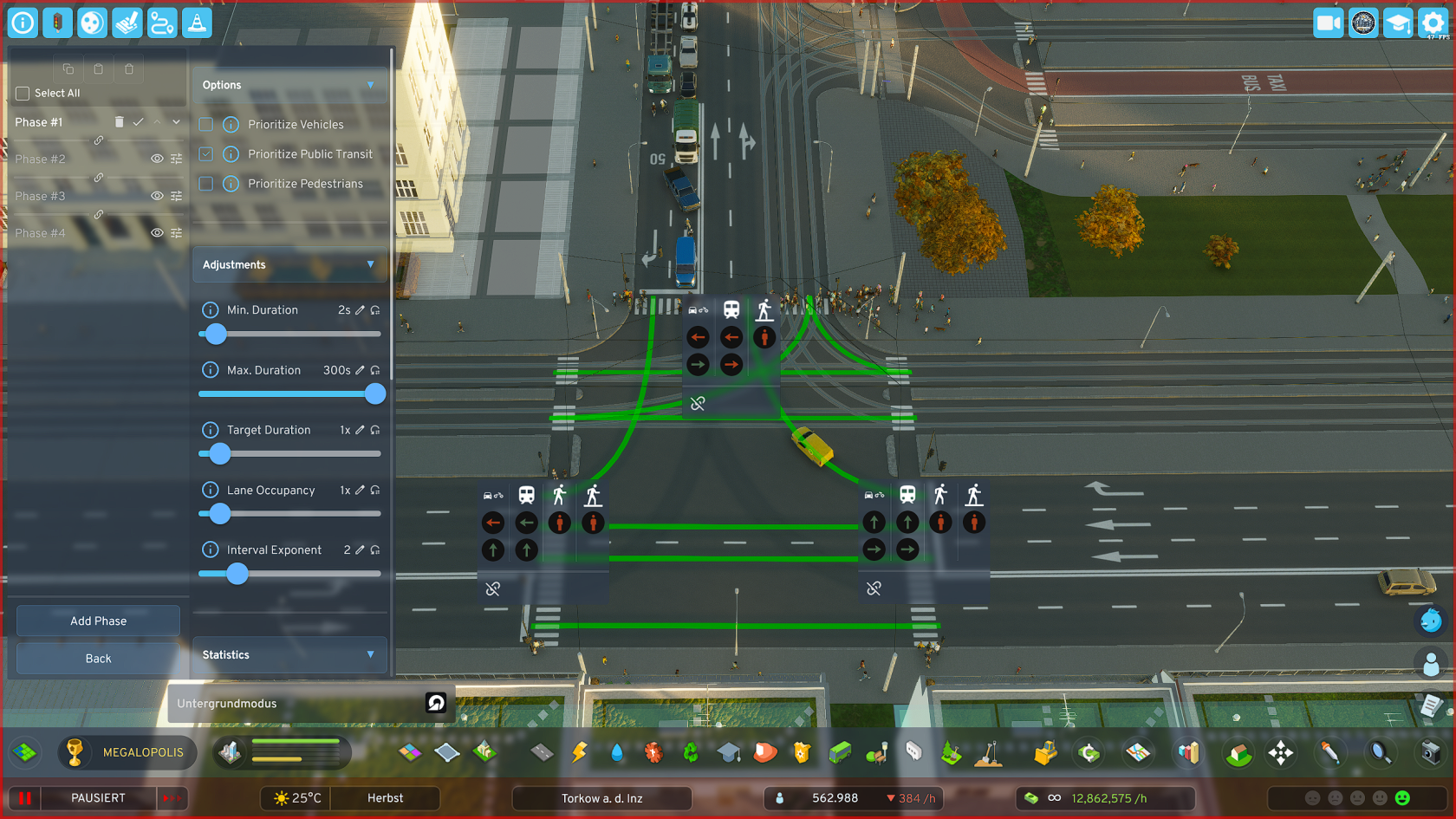](https://shelf.zessons.de/uploads/images/gallery/2026-01/LUyoCc4QZllxqT1k-yl2pjnwrdyluaiil-ox6ivitf5aiusoii-phaseeditor-phaseedit-phase1.png)**TIPS** **1.:** Create a separate pedestrian phase at intersections of major traffic arteries where many pedestrians also appear (most likely in the city center, or on later-planned major bypass roads, etc.) **2.:** ***Important for "Green Wave"***: The *last phase in the overall cycle* should (**only relevant when using the "Green Wave" function**) be an ADDITIONAL "*useful phase*" - i.e., a phase that transfers traffic on *important routes*, as the last phase is used by the sync system as a *buffer for synchronization* when overall cycle lengths of intersections in a group differ significantly or the number of phases of individual intersections differs too much.
--- ### Copying and Pasting Phases - **Click** on the **checkbox** **"Select All"** in the PBM, **top left near the 3 buttons** - **Adjust** your **selection** if needed - **Click** on the **"Copy"** button - **Switch** to the **PBM of the other intersection** to which you want to **add the phases** - **Click** on the **"Paste"** button, *the middle one of the 3 buttons* [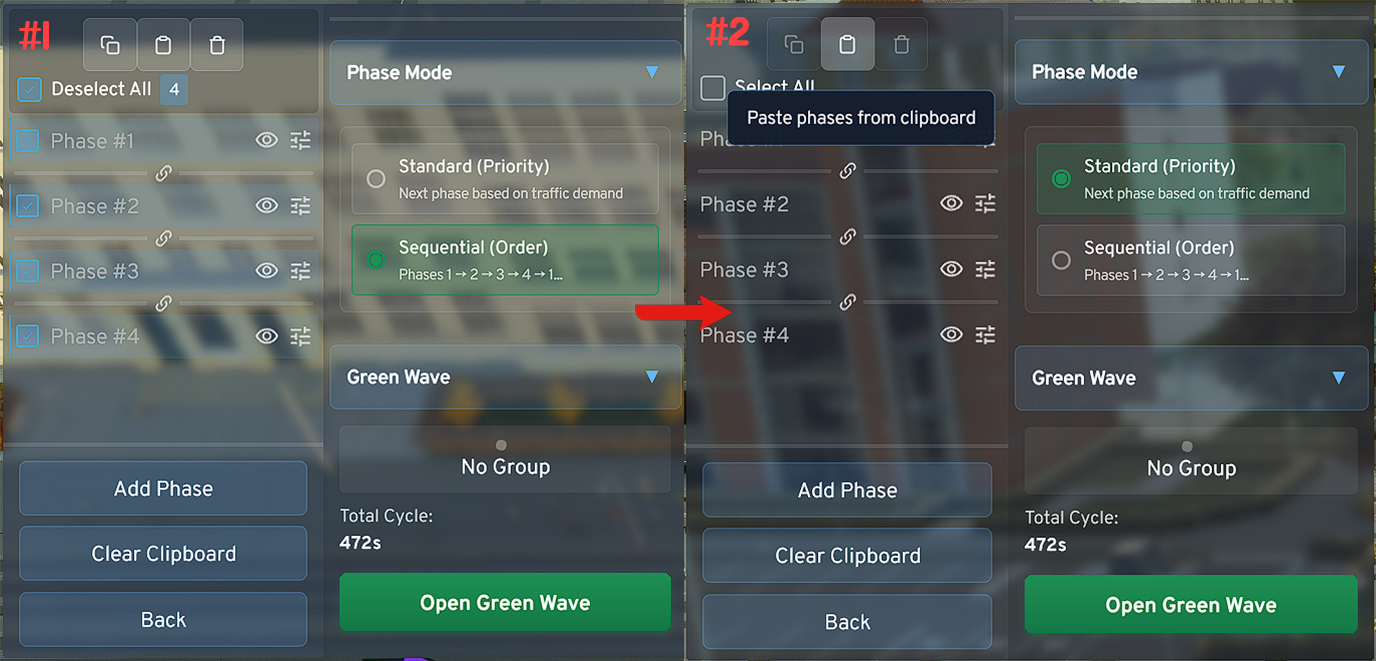](https://shelf.zessons.de/uploads/images/gallery/2026-01/EXzi2L8aw38Yum7j-phaseeditor-standard-copynpaste-complete.png)**Copy/Paste Tool** **-** The **tool cannot work magic**. For *non-identical intersections* the system will try to transfer *as many signal switches as possible* when copying, but you should *check them again* and *adjust if necessary.* **-** When synchronizing intersections, **when using the "Green Wave" function**, the system can be best optimized when grouped intersections are perfectly aligned using the tool regarding timing settings, i.e., min. duration, max. duration, etc.